What's new in KueIt 3.1.0?
KueIt now has the highly requested fade out option. You now have the option to set your trigger pad to Toggle Play/Fade. The first trigger tap will play the audio. The next tap will fade out the audio.

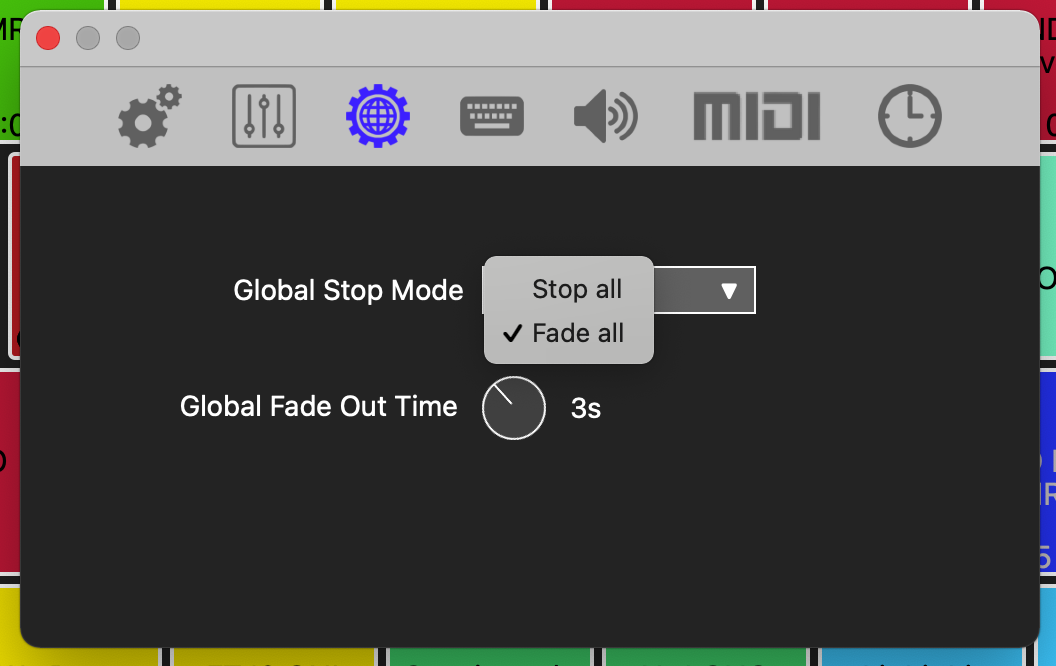
You also have the option to change the Global Stop All button to a Fade All button. Pressing the Stop button, Spacebar or Escape key on the main display will fade out all the tracks that are currently playing. You can change the time duration of the fade out. This option can be found in the settings.
The Stop button in the lower left corner of the app, will display like the image below when it is in Stop All mode:

The Stop button in the lower left corner of the app, will display like the image below when it is in Fade All mode:

The KueIt software has also been optimized. The efficiency in this version will allow for a better user experience. Download the best version of KueIt to date!
Previous Versions
Version 3.0.6
This version includes minor CPU and memory optimizations including some MIDI bug fixes.
Version 3.0.5
This version includes optimizations, bug fixes, better MIDI management and support for the new Windows 11 and macOS Monterey. This version also fixed some networking issues when not connected to the internet when using KueIt. You are also able to drag and drop wave files again on Windows.
Version 3.0.4
Improved CPU, memory and MIDI support. This version supports the new macOS Big Sur and is optimized for both Intel and M1 chip computers.
Version 3.0.3
Optimizations and bug fixes
Version 3.0.2
This version features less CPU and memory usage than previous versions, along several bug fixes and better channel support. KueIt can now output on all audio devices, even 2 deck controllers.
If your device has 4 or more channels, you will see an option in the settings to output to channels 1-2 3-4
If your device has more than 4 channels, you will also see an option for ALL
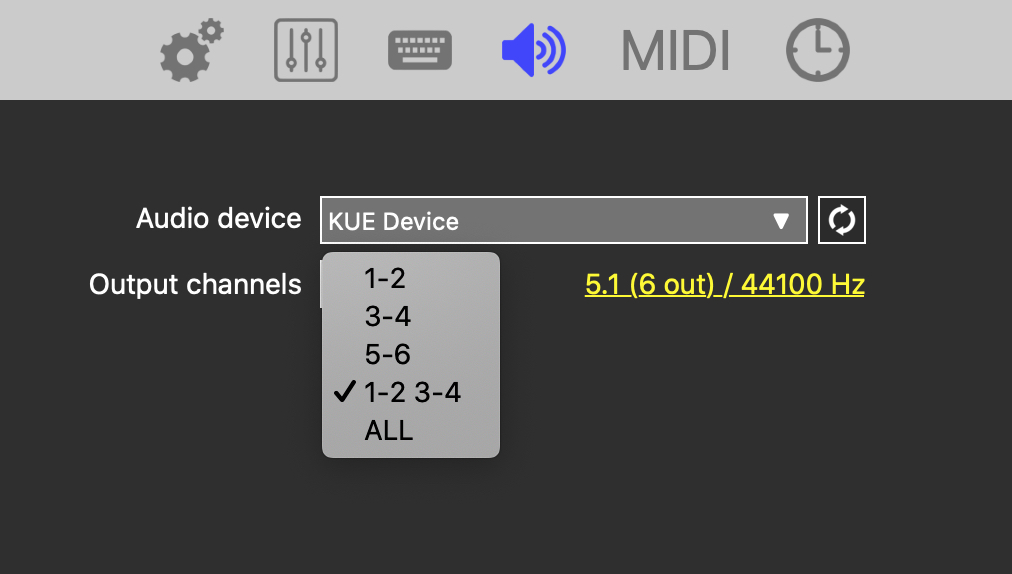
This means that KueIt will output to all channels specified. Previously, you were only able to output to a maximum of 2 channels: left and right
If you have a 2 deck controller that does not have an auxiliary (AUX) input, you can now select your controller as the audio device inside KueIt and then select channels 1-2 3-4. KueIt will now output audio through your controller.
Version 3.0.1
This version includes support for the new macOS Catalina, along with improved MIDI support, bug fixes and optimizations.
Version 3.0.0
Initial release